Published Jul 2026
Proximity Alert
A proximity alert tells you when a vehicle gets close to a point of interest — a depot, a customer site or a hazard — before it actually arrives. You build it as a rule around a POI with a buffer radius.
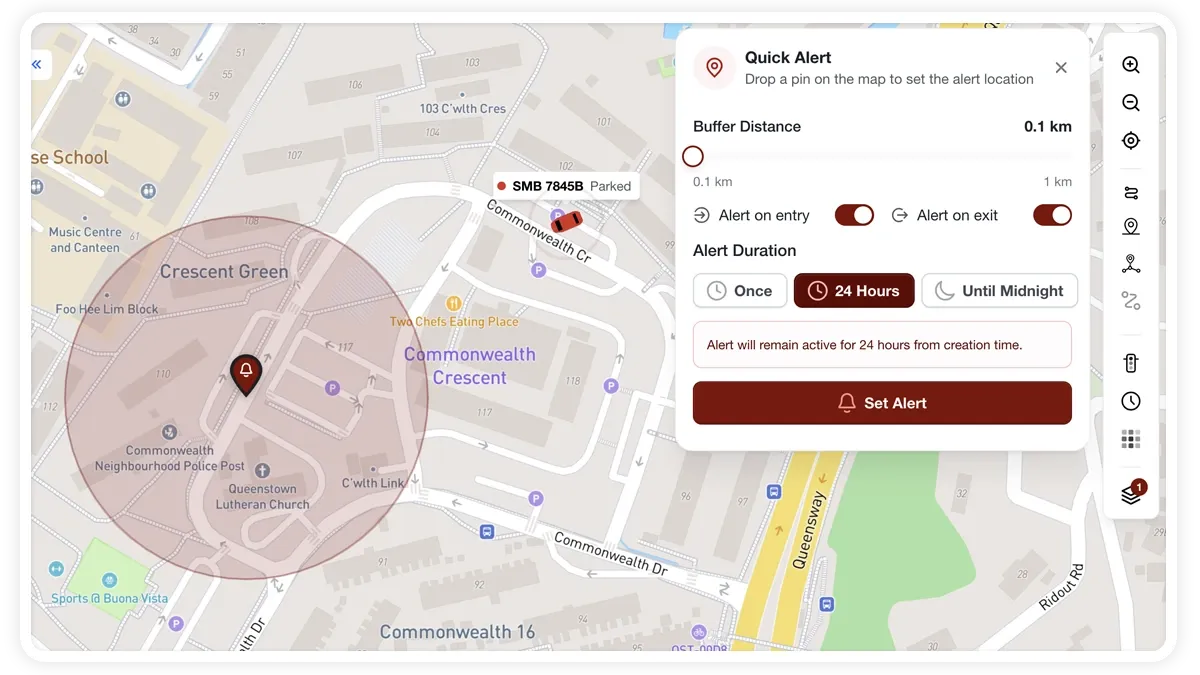
How to set it up
- Go to Alerts > Rules and click Create rule.
- Pick the proximity template, or choose Start from scratch and select the proximity condition around a POI.
- Adjust the condition to match how you operate.
- Choose which vehicles or groups the rule applies to.
- Set a schedule — Always, Business Hours, Outside Business Hours or Custom.
- Pick the notification channels — In-App, Push, Email or SMS.
- Click Save. When the rule triggers, the alert lands in your Alerts Inbox and notifications go out.
What you can set
- POI — the point of interest the rule watches.
- Buffer radius — the distance from the POI that triggers the alert.
- Vehicles / groups — apply to one vehicle, a group or the whole fleet.
- Schedule — Always, Business Hours, Outside Business Hours or Custom.
- Notifications — In-App, Push, Email or SMS.
- Behaviour settings — fine-tune to cut repeat alerts near the POI.
Frequently asked questions
How is proximity different from a geofence entry alert?
A proximity alert fires on distance from a single point (a POI plus a radius), so it warns you as a vehicle nears the location. An entry or exit alert fires on crossing the boundary of a defined zone.
Related
Next
Off-Site Stoppage Alert
Get alerted when a vehicle stops somewhere that isn't one of your approved sites — a rule combining a stoppage condition with 'outside' your zones.
Learn more about this feature
Explore featureMore in Alerts & Reminders
Didn't find what you needed?Contact support