Published Jul 2026
Geofence Entry & Exit Alert
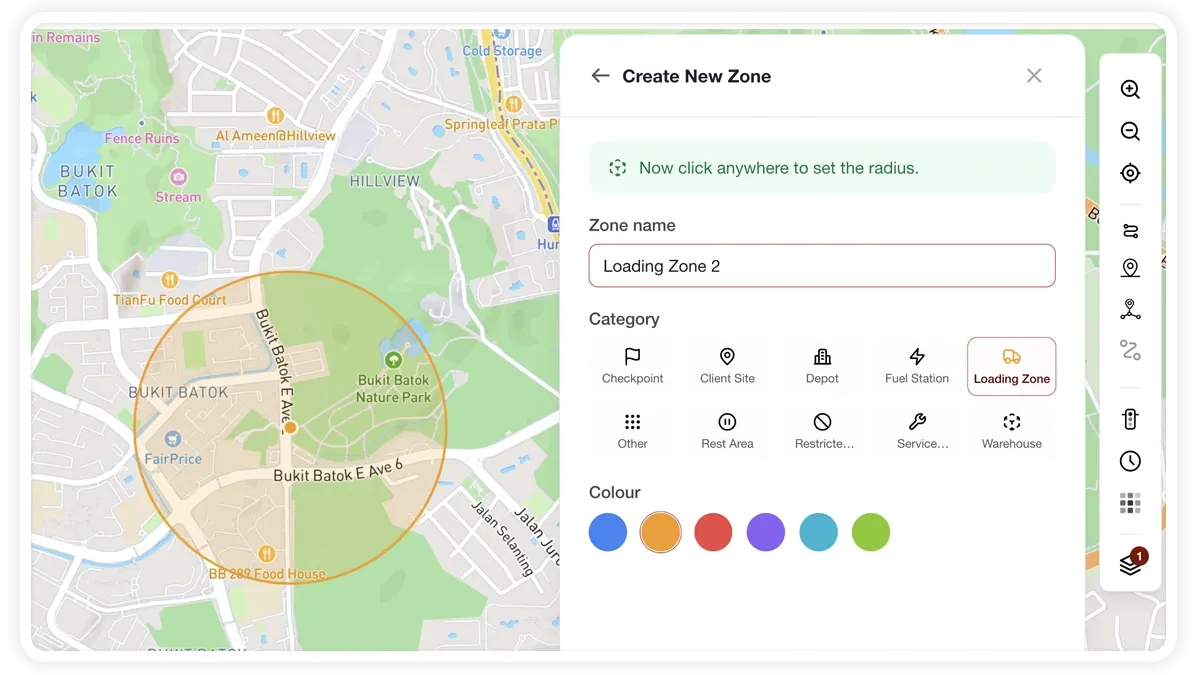
A geofence alert tells you the instant a vehicle enters or exits a zone you’ve drawn — a depot, a customer site, a restricted area. The quickest way is to Watch a zone straight from the map; for full control, build a Geofence rule and choose the zone(s), or a whole zone category, and whether to alert on entry, exit, or dwell.
How to set it up
- Go to Alerts > Rules and click Create rule.
- Pick the matching template, or choose Start from scratch.
- Adjust the condition to fit your fleet.
- Choose which vehicles or groups the rule applies to.
- Set a schedule — Always, Business Hours, Outside Business Hours, or Custom.
- Pick the notification channels — In-App, Push, Email, or SMS.
- Click Save. When the rule triggers, the alert appears in the Alerts Inbox and notifications go out.
What you can set
- Zones — one or more geofences, or an entire zone category.
- Trigger — on entry, on exit, or on dwell (staying inside).
- Assignments — the vehicles or groups the rule applies to.
- Schedule — Always, Business Hours, Outside Business Hours, or Custom.
- Channels — In-App, Push, Email, SMS.
Frequently asked questions
Do I have to build a rule, or can I just watch a zone?
Either works. Watching a zone from the map is the fastest one-click way to get entry/exit alerts. Build a full Geofence rule when you need multiple zones, dwell triggers, specific recipients or a schedule.
Related
Next
Spotfence Alert
Know the moment a vehicle reaches a specific site. AVLView's Spotfence rule triggers on arrival at a POI or point.
Learn more about this feature
Explore featureMore in Alerts & Reminders
Didn't find what you needed?Contact support