Published Aug 2026
Vehicle Add-ons & Sensors
Add-ons and sensors extend a single vehicle with optional hardware and monitoring modules. Configure them per vehicle so each unit reflects the equipment actually installed on it.
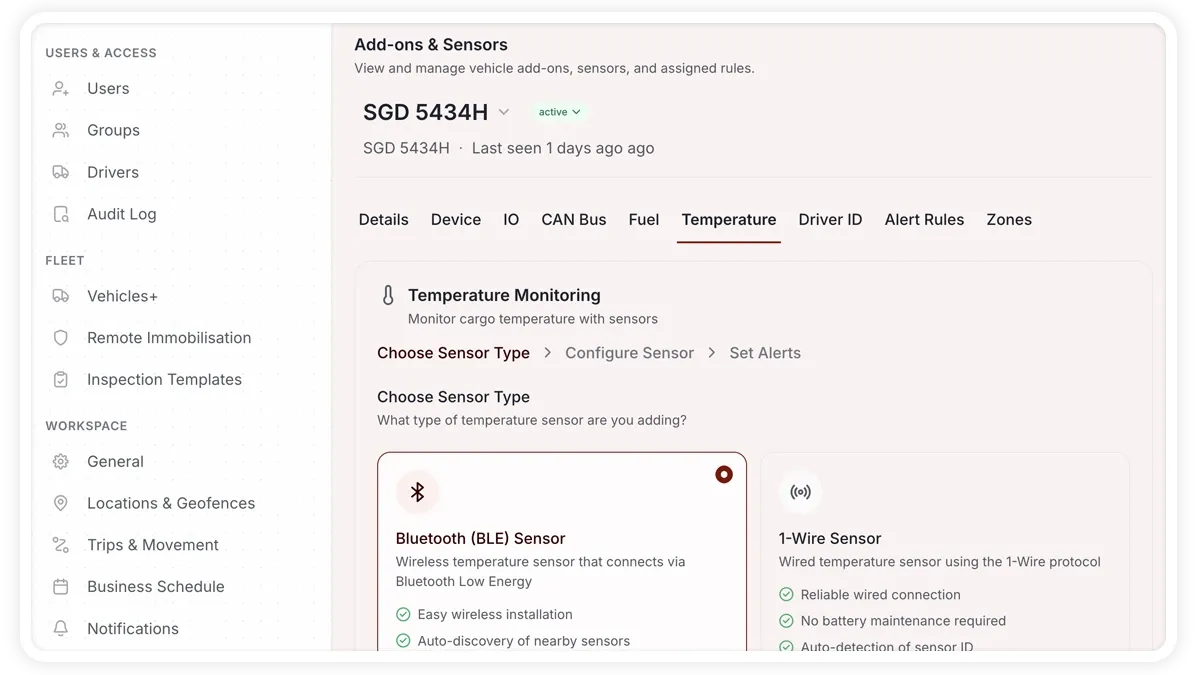
How to configure add-ons and sensors
- Open the vehicle you want to configure.
- Open its Add-ons & Sensors section.
- Enable and set up the modules that match the hardware installed on the vehicle.
- Save your changes.
Modules you can add
- Vehicle Video Monitoring — dashcam.
- Engine Diagnostics — CAN Bus engine data.
- Temperature Monitoring — cold chain temperature.
- Fuel Level Monitoring — fuel level sensing.
- Video Recorder — MDVR.
- Driver Identification — choose iButton, RFID, or phone.
- Zone Access — which locations the vehicle may enter.
- Assigned Alert Rules — the alert rules applied to this vehicle.
- IO Mapping — how the device inputs and outputs are mapped.
- Notes — free-form notes for this vehicle.
Frequently asked questions
Do I need special hardware for each module?
Yes. Each module needs the relevant hardware installed on the vehicle — a dashcam, CAN Bus connection, temperature or fuel sensor, MDVR, or a driver ID reader — before the module can report data.
How is a driver identified on the vehicle?
In the Driver Identification module you choose the method: iButton, RFID, or phone.
Related
Next
Remote Immobilisation
Send Immobilise or Mobilise commands to a vehicle from Settings > Remote Immobilisation, review arm status, signal, and battery, and run a Safety Verification Test.
Learn more about this feature
Explore featureMore in Settings & Admin
Didn't find what you needed?Contact support