End of Day Fleet Summary
The End of Day Fleet Summary is a daily digest that comes to you — it closes out the day with each vehicle's return status, an overall fleet health score, and the top three things to act on tomorrow. Delivered by push, it lands in your inbox with no login required, so managers get the picture without opening the platform.
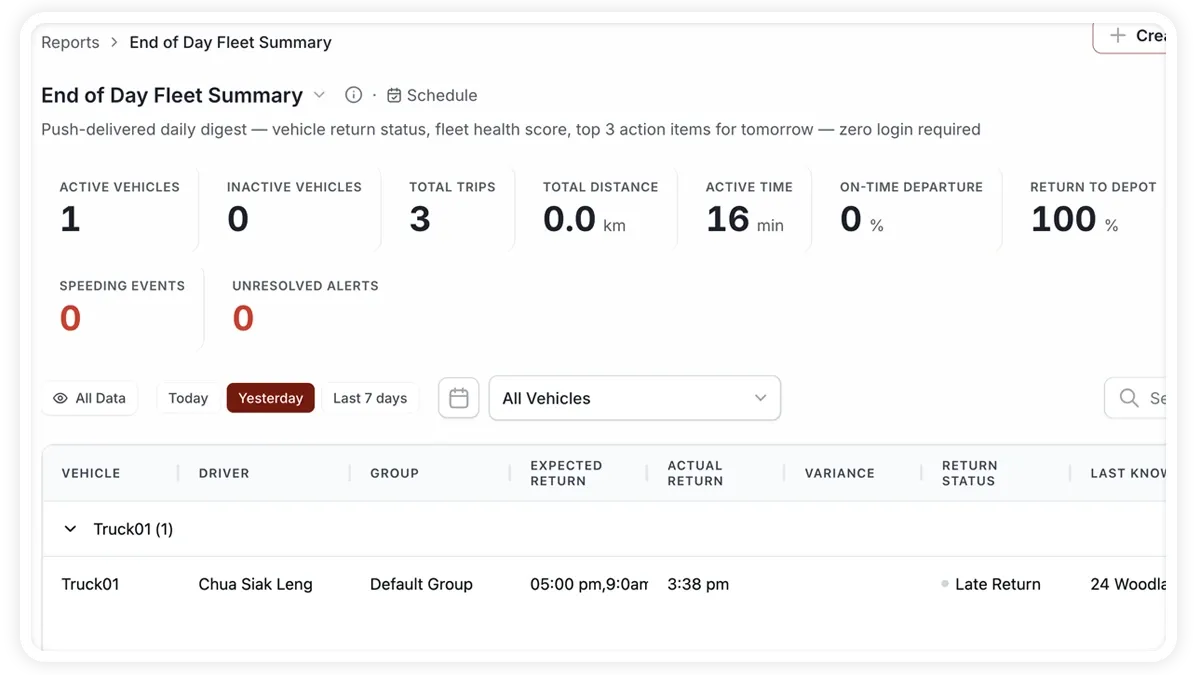
What the report shows
Each daily digest wraps up the fleet's day:
- Fleet Health — an overall score summarising the day's performance.
- Returned to Depot — how many vehicles made it back to base.
- Return Rate — the share of the fleet that returned as expected.
- Not Returned — vehicles still out at the end of the day.
- Unresolved Alerts — alerts still open and awaiting attention.
- Tomorrow Scheduled — the number of vehicles or jobs due to run tomorrow.
How to run it
- Open Reports and choose the Operations category (or search “end of day”).
- Select End of Day Fleet Summary.
- Set the date range you want — usually the current day.
- Click View to see it on screen, or Download for a PDF or Excel copy.
Schedule it
This report is designed to be scheduled. Use the Scheduled tab to have it pushed to your inbox each evening after the fleet returns, so the digest arrives automatically without anyone running it — the way it is meant to be used.
Frequently asked questions
How is the fleet health score worked out?
The score blends the day's key signals — return rate, unresolved alerts and overall activity — into a single figure, so you can gauge the day at a glance and drill in only when it drops.
How does a vehicle count as returned to depot?
A vehicle is marked returned when it ends the day back at a recognised depot or base location, detected from its GPS position — so the return status reflects where vehicles actually finished, not a manual sign-off.
Related reports
Learn more about this feature
Explore feature