Join 43,000+ fleet owners tracking smarter.

Start Freeor book a live demo
AVLView

GPS fleet tracking trusted by 43,000+ fleet owners worldwide. Automate operations, cut costs, and scale effortlessly.

GDPR Compliant
Singapore • 11 Countries Worldwide
Philippines•India
support@avlview.com
+65 8228 4559

Fleet tips, straight to your inbox

No spam, unsubscribe anytime.

support@avlview.com+65 8228 4559
Product
  • Fleet Tracking
  • Driver Safety
  • Fuel Monitoring
  • Maintenance
  • Geofencing
  • Landmarks & POIs
  • Reports & Alerts
  • Fleet Capacity
  • API Integration
Solutions
  • Partner Program50-75% margins
Resources
  • Blog
  • Help Center
  • API Reference
Company
  • About Us
  • Become a Partner
  • Contact
  • Pricing
Locations
  • Dubai
  • Riyadh
  • Singapore
  • India
  • Philippines
  • USA

© 2026 AVLView. All rights reserved.

Privacy PolicyTerms of ServiceEULACookie Policy

We use cookies to improve your experience and analyse site traffic. Cookie Policy

AVLView
Pricing
🇸🇬+65 8228 4559
العربيةLogin
Getting Started
  • First Steps
  • Log In
  • Your Dashboard
  • Live Tracking
  • Add a Vehicle
  • Invite Your Team
Alerts & Reminders
Maps & Geofencing
Supported Devices
Reports
Analytics
Service & Maintenance
Trip Scheduling
Dashboard
Settings & Admin
Troubleshooting
What's New
Getting Started
Published Jul 2026

First Steps

On this page

  • Set up in 5 steps
  • What you can do next
  • Frequently asked questions

AVLView is a cloud-based GPS fleet tracking platform that shows where your vehicles are, how they’re driven, and what they cost — all from one dashboard. This guide gets you set up in five steps: log in, read your dashboard, track your vehicles live, add a vehicle, and invite your team. There’s no software to install — everything runs in your web browser.
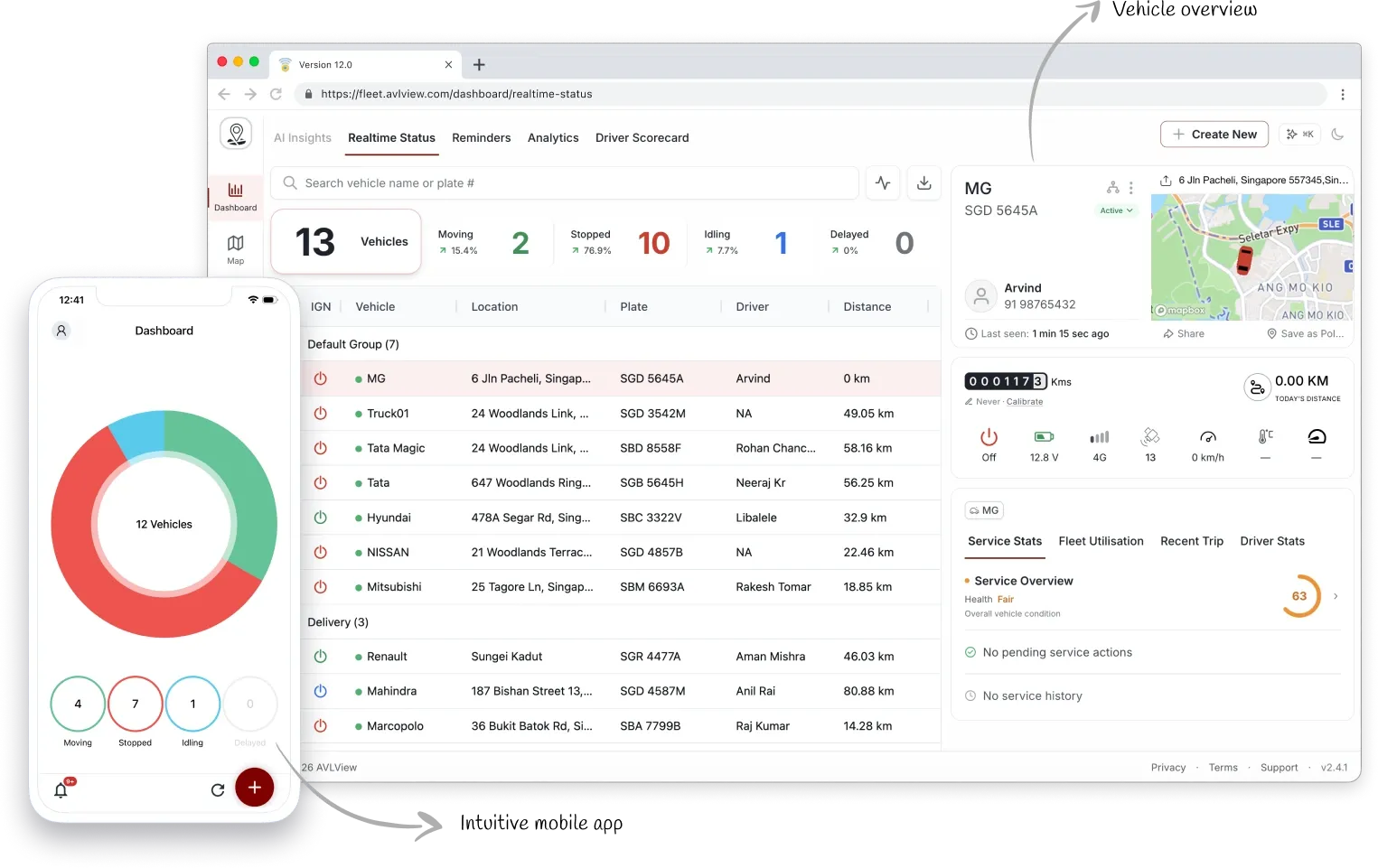
AVLView dashboard with the live fleet map, alerts panel, driver scores, and vehicle status summary
The AVLView dashboard shows your live fleet map, alerts, driver scores, and vehicle status on one screen.

Set up in 5 steps

  1. Log in to your account — Go to app.avlview.com and sign in with your email and password.
  2. Get to know your dashboard — See fleet status, alerts, and driver scores at a glance.
  3. Track your vehicles live — Watch your fleet move in real time on the map.
  4. Add a vehicle or device — Connect a GPS device and add your vehicle’s details.
  5. Invite your team — Add users and control what each person can see and do.

What you can do next

Once you’re set up, explore the tools that matter most to your fleet:

  • Set up alerts & reminders — speeding, geofence, idling, and service-due notifications.
  • Run reports — trips, distance, fuel, and utilisation, exported to Excel.
  • Maps & geofencing — draw zones and get entry and exit alerts.
  • Service & maintenance — log costs and schedule upkeep.

Frequently asked questions

Do I need to install any software?

No. AVLView runs in any modern web browser, such as Chrome, Firefox, or Edge. A mobile app is also available for managing your fleet on the go.

Which GPS devices work with AVLView?

AVLView is device-agnostic and supports more than 200 GPS models. See Supported Devices for the full list.

How quickly does the vehicle location update?

Vehicle positions refresh in near real time — typically every few seconds, depending on your GPS device and mobile network.

Next
Log In
Log in to AVLView at app.avlview.com with your email and password. How to sign in on web and mobile, accept an invite, and reset a password.
Continue

Learn more about this feature

Explore feature

More in Getting Started

  • Log In
  • Your Dashboard
  • Live Tracking
  • Add a Vehicle
  • Invite Your Team
Didn't find what you needed?Contact support

In this guide

  • Set up in 5 steps
  • What you can do next
  • Frequently asked questions
Need a hand?

Talk to our team in your language.

Contact support