Calculate Engine Hours
Engine-hours tracking logs how long a machine or engine has run, so you can service by usage rather than guesswork. You set it up by mapping the engine's digital input to 'Equipment On'.
How to configure engine hours
Engine hours for a machine or equipment is calculated to monitor and log machine service life.
To improve efficiency and performance, the machines are required to complete their periodic services.
Platform helps you monitor your engine hours and lets you set service reminder notification
Please find below steps to configure Engine hours in the platform.
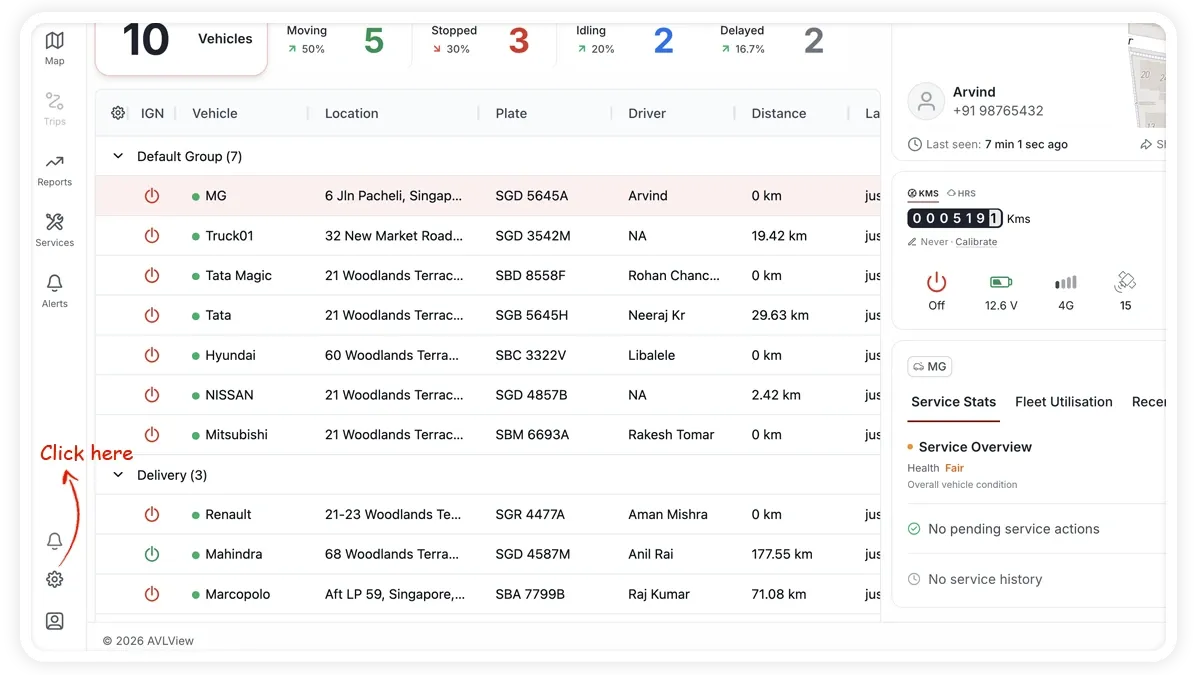
Step 1: Click Settings tab
Click three dots from top right corner of the screen (full screen mode)
Step 2: ‘Manage’ vehicles
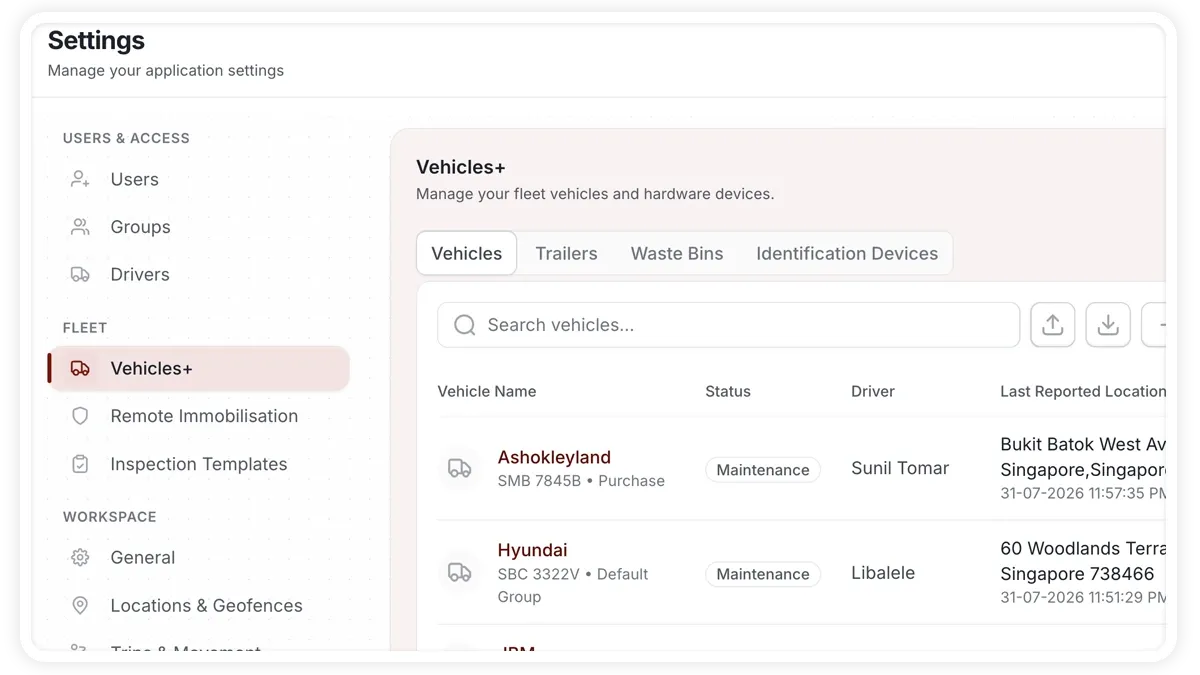
Step 3: Choose vehicle
Choose your vehicle and opt “Device configuration” tab, then click ‘IO mapping’
🖼️ IMAGE PLACEHOLDER — supplied by design
Dimensions: 1200 × 675 px (16:9) · PNG or WebP · under 200 KB
Shows: The vehicle-management screen with a vehicle selected and the 'Device Configuration' tab open, showing the 'IO Mapping' option.
Alt text: Device Configuration tab with IO Mapping for a vehicle
Step 4: Map digital Input
Digital input connected with Engine meter should be mapped to “Equipment On” in IO mapping.
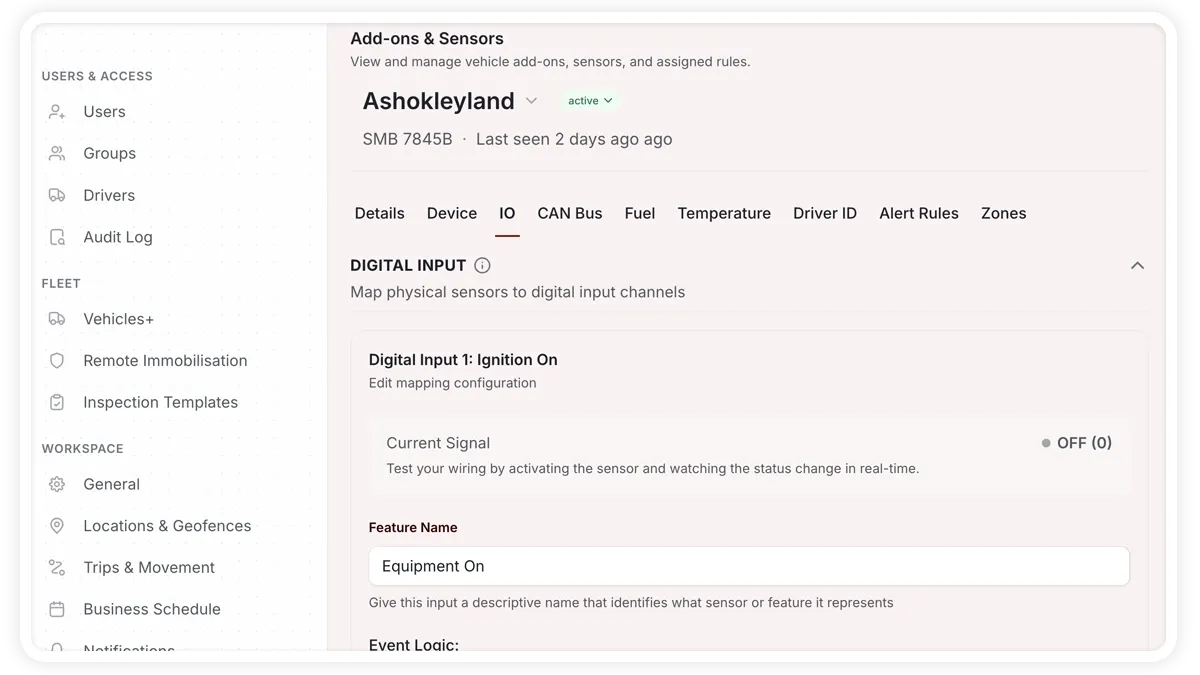
Step 5: Click Next and choose Submit.
Frequently asked questions
Why track engine hours?
For machinery and equipment, run-time is a better service trigger than distance. See Schedule maintenance.
Do I need special wiring?
Yes — the engine meter's digital input must be wired and mapped to 'Equipment On'. See Supported Devices.
Learn more about this feature
Explore feature